One Prescription for Every Video: Standardizing a Home Streaming Library
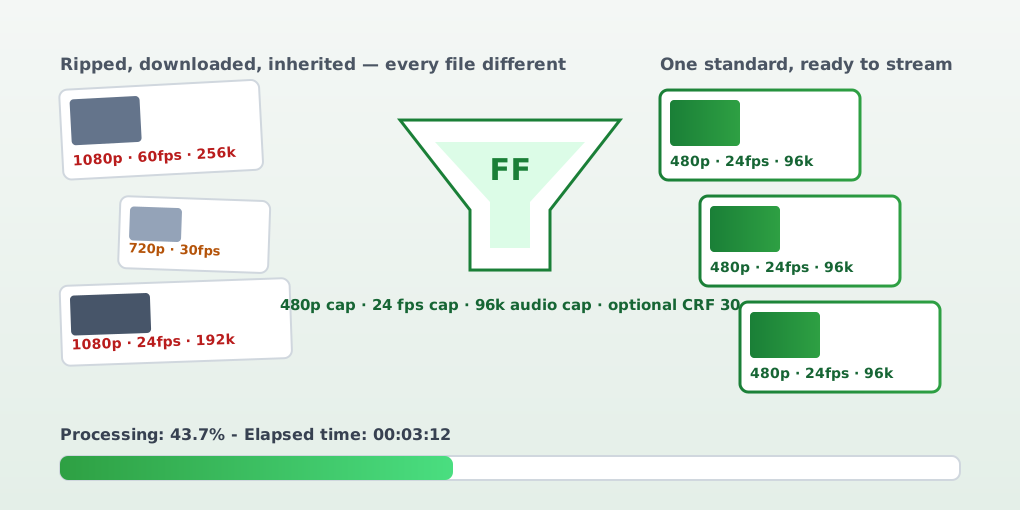
A home media library is a sediment layer. DVDs ripped at full quality sit next to downloads in whatever codec the source happened to ship, inherited drives, phone exports, and the occasional camcorder archaeology. Every one of those files is fine until the moment it has to stream across the network — where the library’s heterogeneity becomes buffering, weird aspect ratios, and audio that some device refuses to decode.
My fix wasn’t a media server plugin or hand-tuning files as they annoyed me. It was a normalizer: a Python script that imposes one prescription on every video and makes the whole library standard for streaming.
The prescription
One pass, four knobs, all with defaults chosen for a smooth streaming experience on my network:
- Resolution capped at 480p (height), never upscaled — a 360p file stays 360p.
- Framerate capped at 24 fps.
- Audio capped at 96 kbps (re-encoded to AAC only when it exceeds the cap — otherwise the original stream is copied untouched).
- Optional CRF compression (default factor 30) for when you want smaller files without touching resolution, framerate, or audio.
Because it’s a batch tool, it takes flags the way you’d want for a library instead of a file: --recursive to walk the whole tree, --audio/--video/--framerate/--compression to opt into specific treatments, and limit overrides (--height-limit 720, --rate-limit, --bitrate-limit, --compression-factor) when a particular folder deserves better than the default.
The details that make it a tool, not a script
The interesting engineering is in the decisions around the transcode:
- Decide, then act. Every file is probed first — resolution, framerate, and audio bitrate via MoviePy and ffprobe — and compared against the caps. A file already inside the prescription is logged as “No changes needed” and skipped. Nothing is re-encoded gratuitously, which makes the tool effectively idempotent: run it twice, the second run does nothing.
- Newest first. In recursive mode, files are processed most-recently-modified first — the media you just added gets fixed before the archaeology at the bottom of the drive.
- Atomic-ish replacement. FFmpeg writes to a sibling
_resizedfile; the original is deleted and the output renamed over it only after a zero exit code. A failed transcode never destroys the source. - Live progress, not a spinner. The script precomputes total frames and parses FFmpeg’s
frame=lines from stdout into a single-lineProcessing: 43.7% - Elapsed time: 00:03:12readout. Batch jobs live or die by this: without per-file progress you can’t tell a healthy hour-long encode from a hang. - Skip and continue. A file that errors is logged and left alone; the batch moves on. With hundreds of files, one bad rip should never cost the whole run.
- Metadata preserved.
-map_metadata 0keeps titles and tags through the re-encode, so the media server’s library data survives the normalization.
What it taught me
The lesson is the same one behind good devops tooling: standardize at ingest, idempotently, with visible progress. Hand-tuning files one at a time never scales and never converges; a single prescription applied recursively does — and re-running it is free. The second lesson is that defaults are the product: 480p/24fps/96kbps reads like an insult to a 1080p source until you notice that the entire library becomes predictable — small, uniform, and playable on every device on the network — which is the actual requirement.
The source is on GitHub along with a README that documents every flag. If your media shelf looks like sediment too, the recipe is simple: probe first, transcode only what’s out of spec, replace only on success, and always show the percent.